How to use Frevia
A picture-by-picture guide. In every screenshot, the orange circle and number show exactly where to click.
For clients — hire in 8 steps
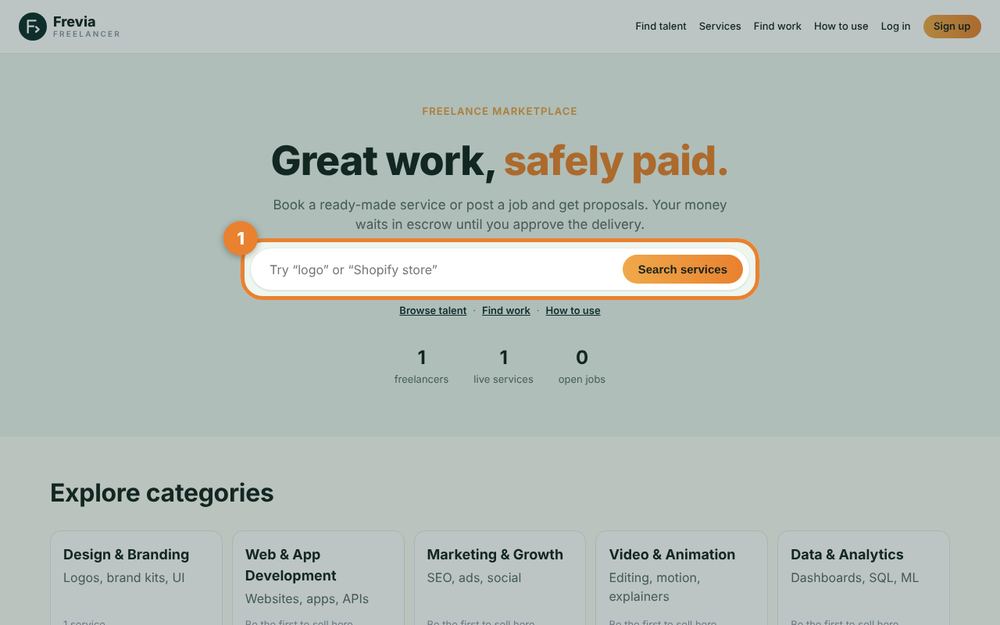
Search for what you need
Type what you need done — “logo”, “Shopify store”, “video edit” — in the search box on the homepage, or browse a category.
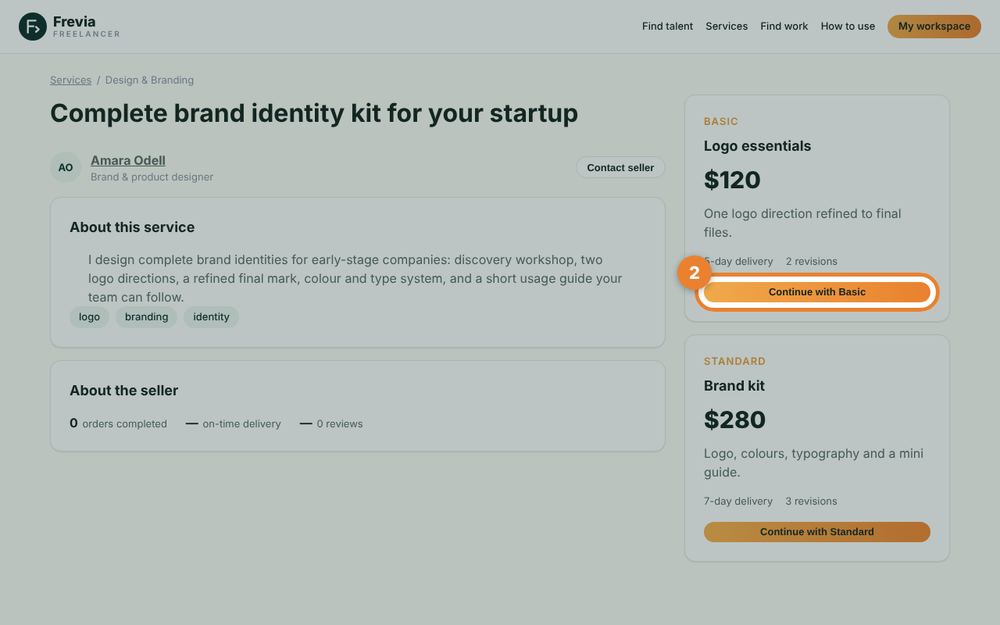
Pick a package and order
Open a service, compare the Basic / Standard / Premium packages (price, delivery days, revisions) and press “Continue with …”.
💡 Not sure yet? Press “Contact seller” to ask questions first — the freelancer can send you a custom offer.
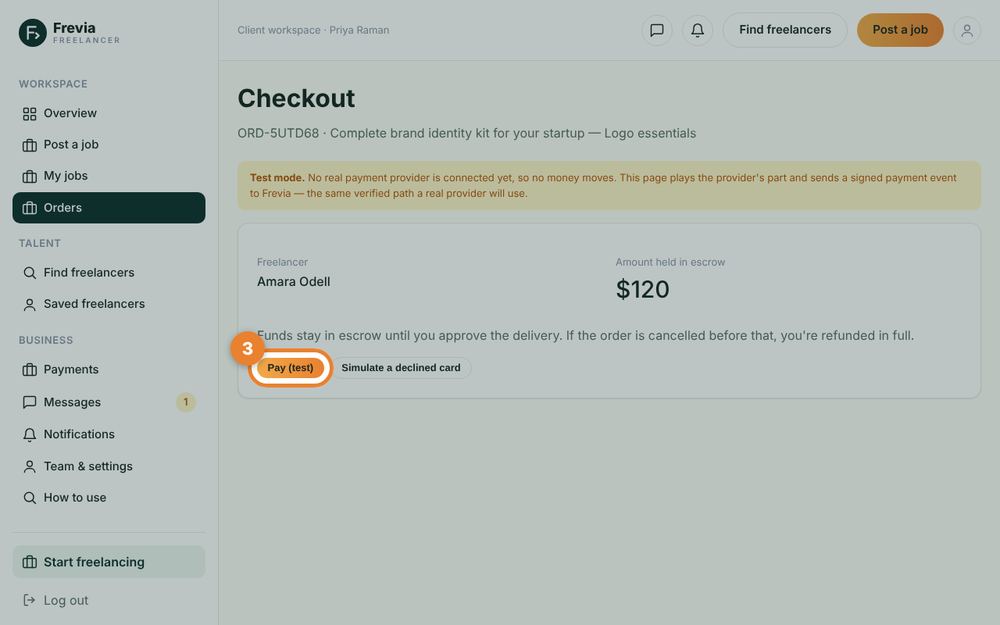
Pay into escrow
Choose how to pay: card, PayPal, or DuitNow QR (Malaysia). Your money is held in escrow by Frevia — the freelancer can see the order is funded, but is only paid after you approve the work.
💡 Card and PayPal payments happen on Stripe’s / PayPal’s own secure pages. With DuitNow, scan the QR, pay the amount in RM and enter your transaction reference — the order starts once our team confirms it.
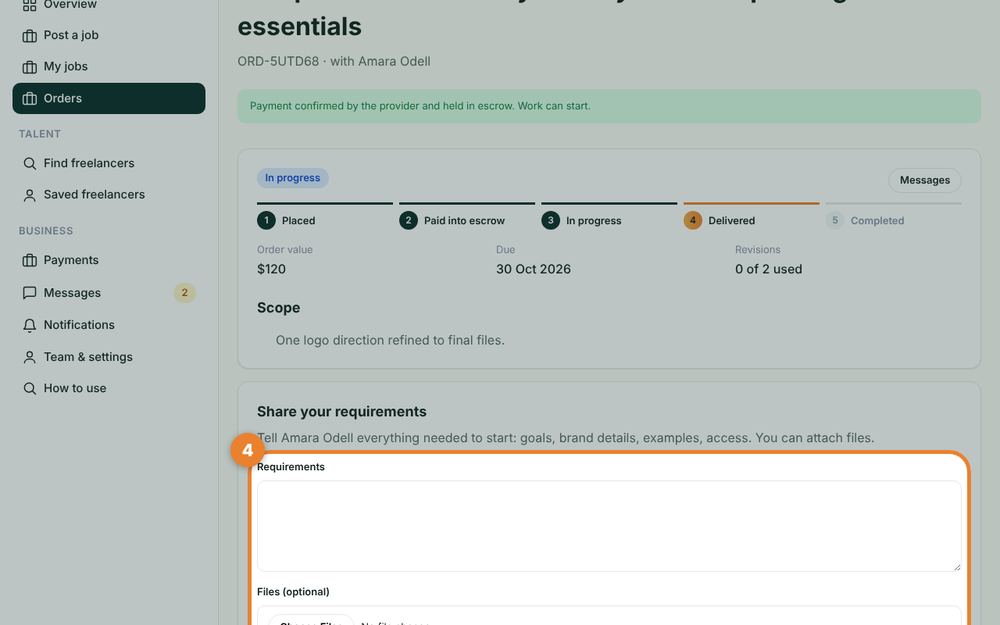
Share your requirements
Tell the freelancer everything they need: goals, examples, brand details, logins. You can attach files.
Chat in Messages
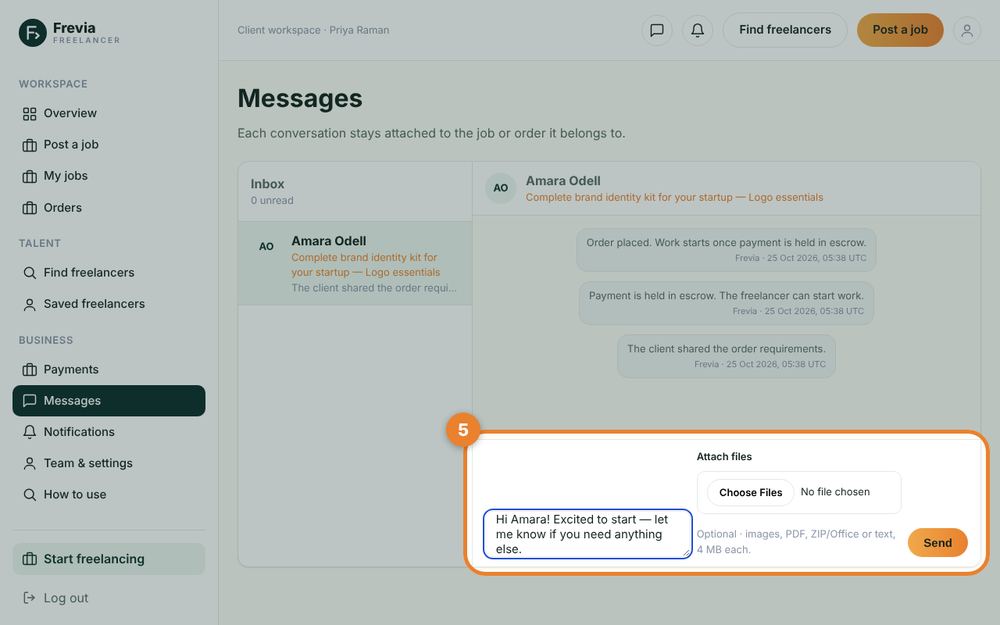
Every order has its own conversation. Send messages and files here — keep payments and contact on Frevia so you stay protected.
Approve the delivery (or ask for changes)
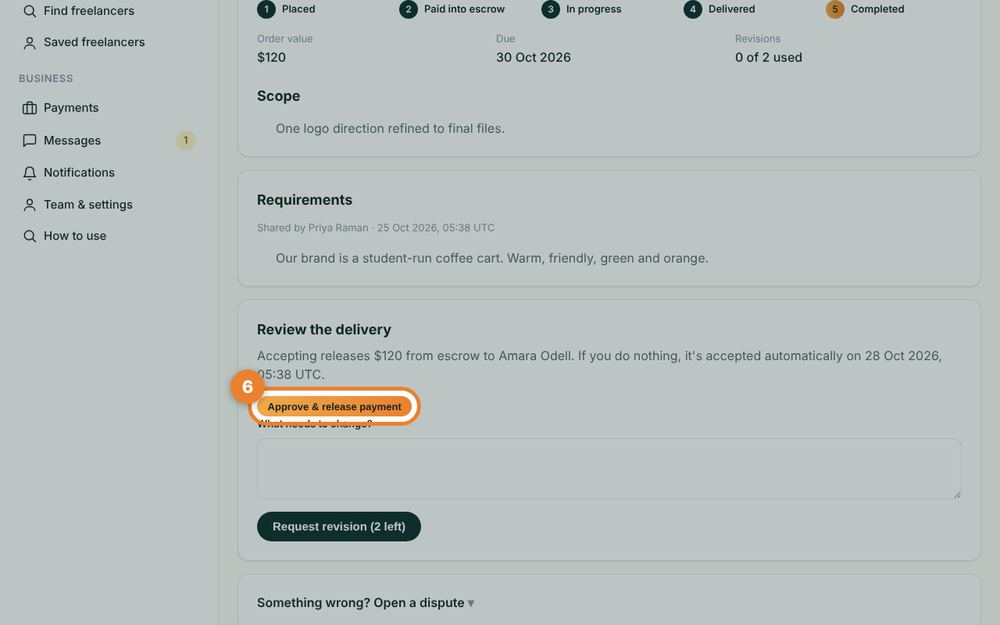
When the work arrives, check it. Press “Approve & release payment” if you’re happy, or request a revision (included in your package).
💡 If you don’t answer, the order is approved automatically after the review window. Something wrong? Open a dispute from the order page.
Leave a review
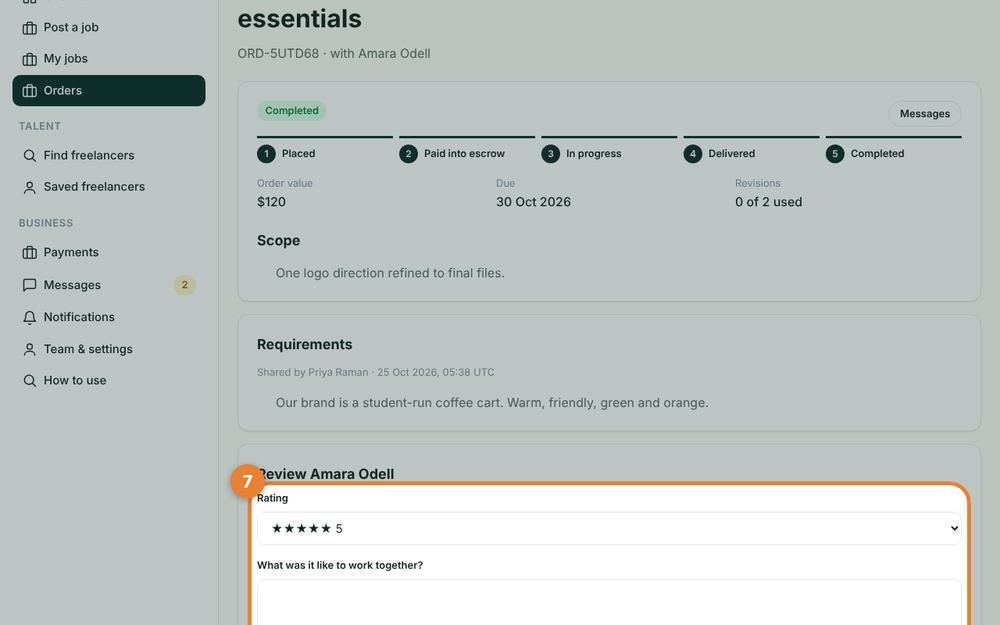
Rate the freelancer and write a few words. Only people who completed an order together can review each other, so reviews are real.
Or post a job and get proposals
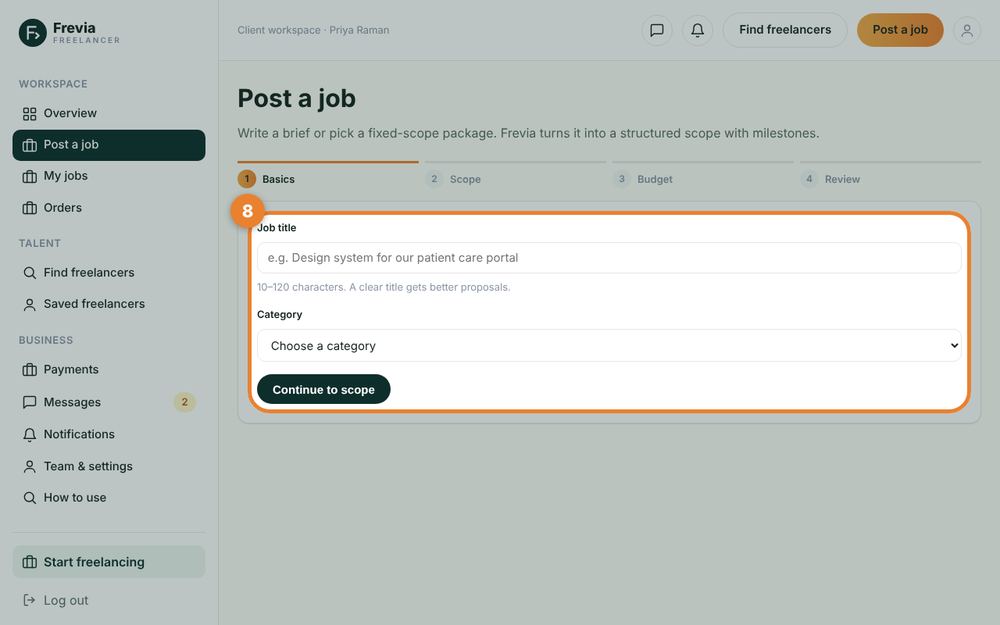
For custom work, use “Post a job”: describe the work, set a budget, publish — freelancers send proposals you can compare, message and hire.
For freelancers — start earning in 8 steps
Create your account
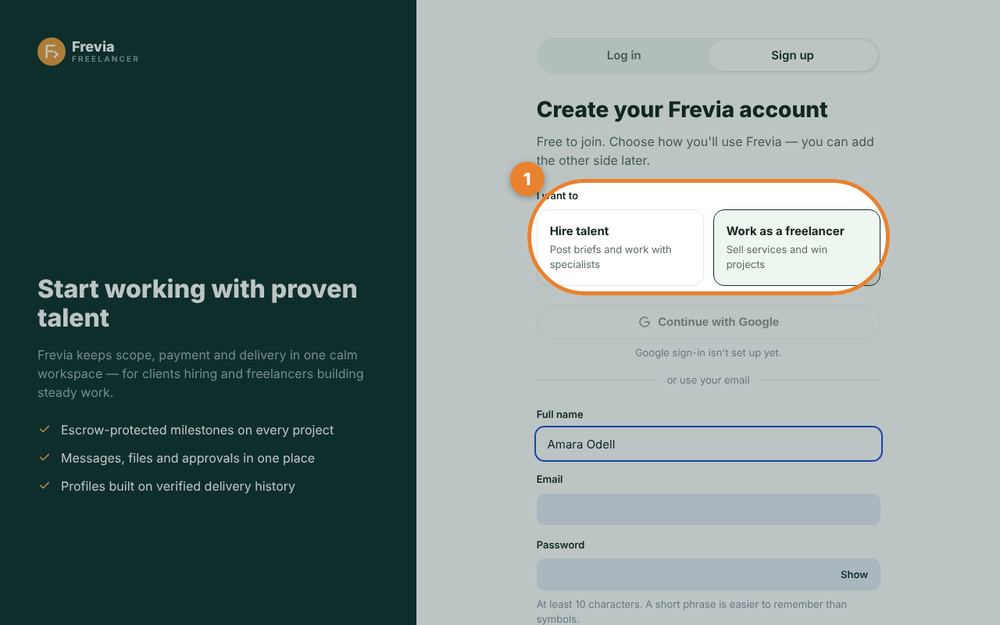
Choose “Work as a freelancer”, then add your name, email and a password. One account can later be used for hiring too.
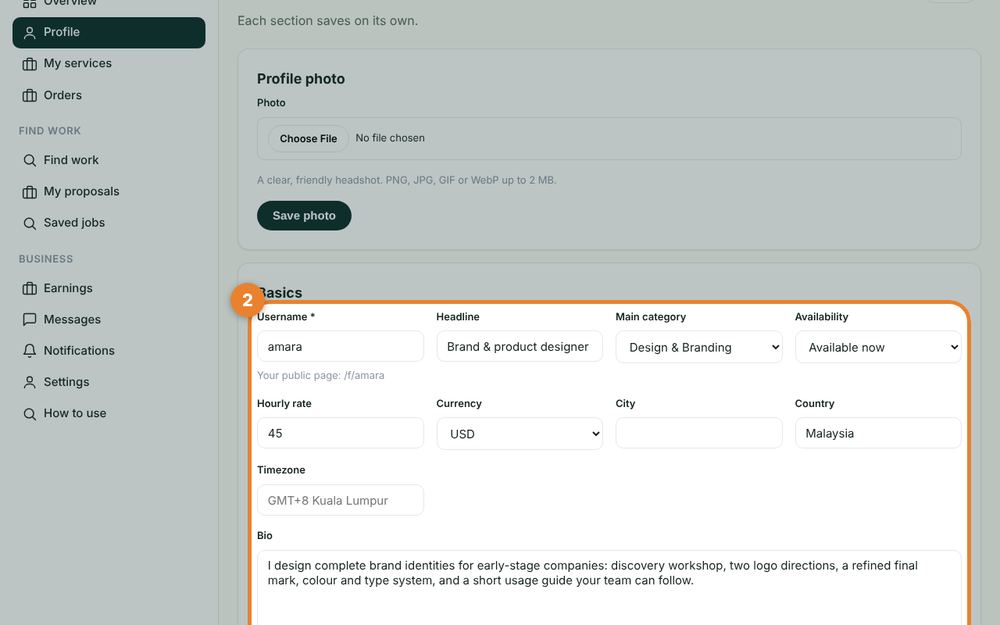
Fill in your profile
Add a username, headline, category, hourly rate and a bio of at least 100 characters. Add a photo, skills and portfolio below it.
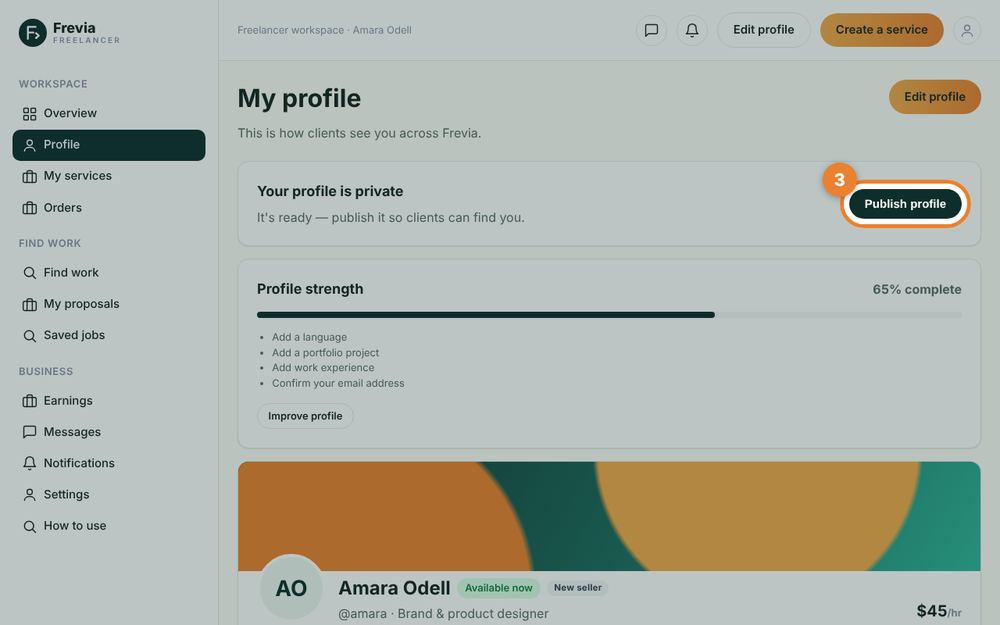
Publish your profile
When the profile strength checklist is complete, publish it. Clients can then find you in “Find talent”.
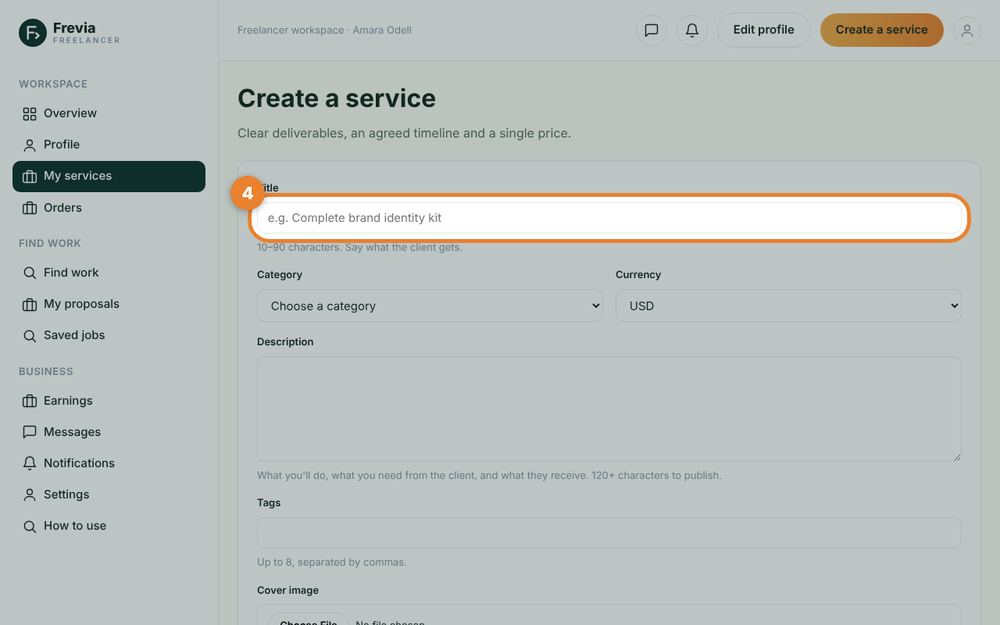
Create a service
Go to My services → Create a service. Write a clear title, description, cover image, and up to three packages with price, days and revisions.
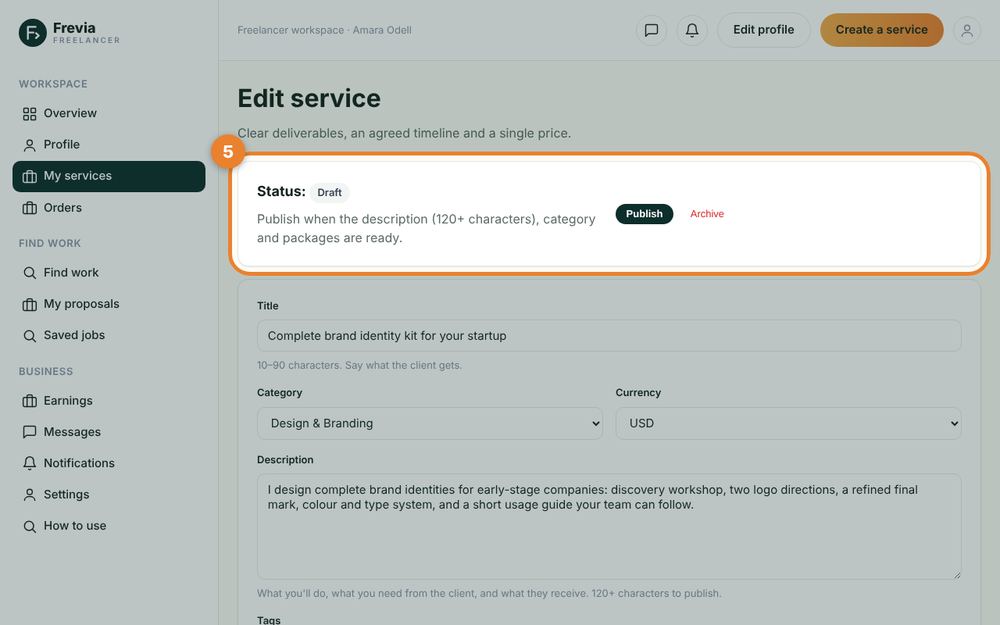
Publish the service
Press Publish. Your service appears in search and on your public profile, ready to be ordered.
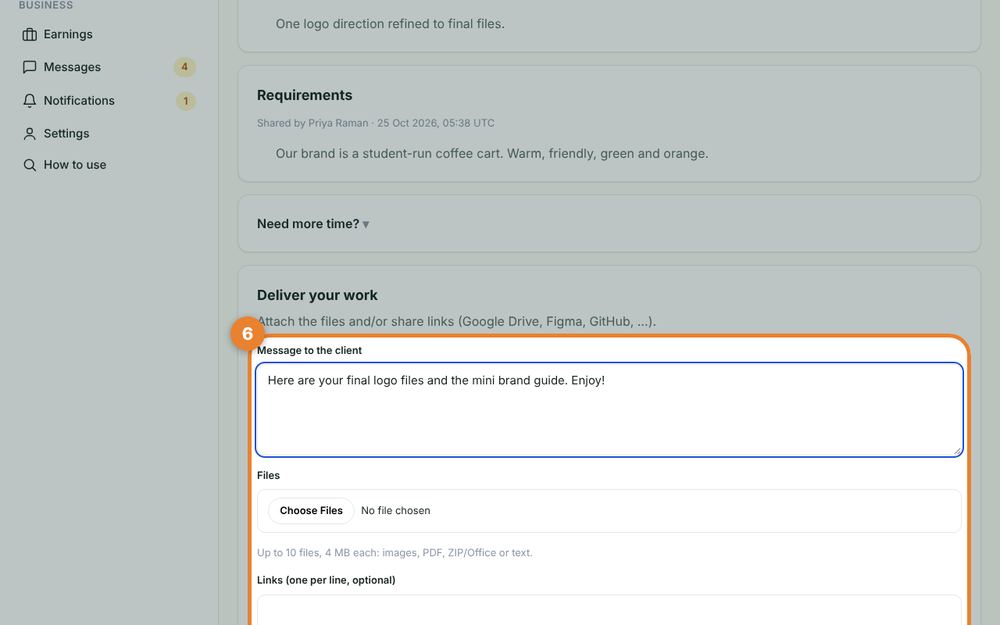
Deliver the work
When an order is paid, read the requirements, do the work and deliver it with a message and files or links. Need more time? Ask for an extension from the order page.
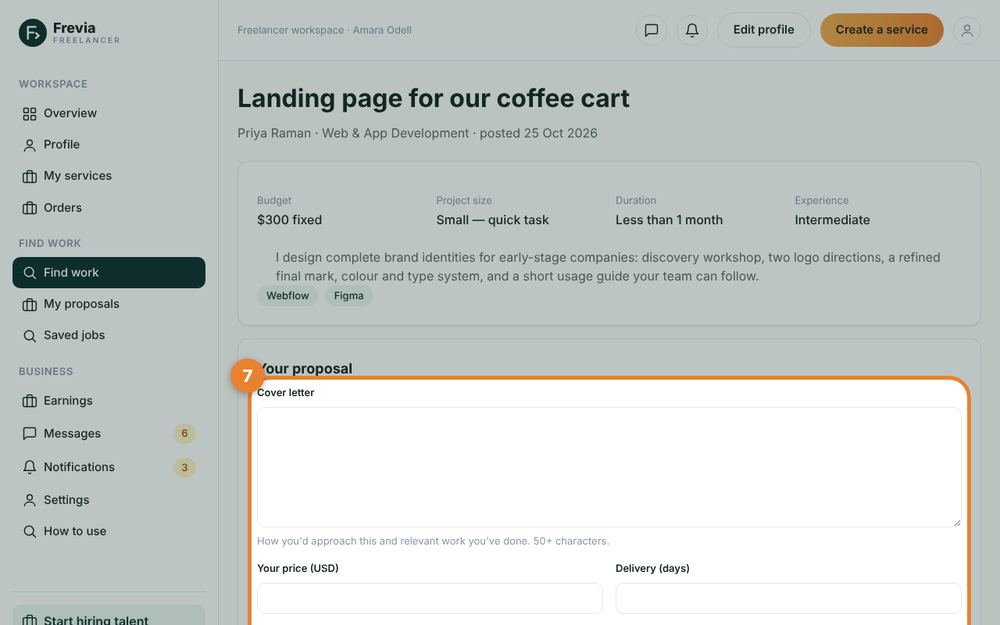
Win jobs with proposals
Open Find work, choose a job that fits, and send a proposal with your price, delivery time and a short cover letter.
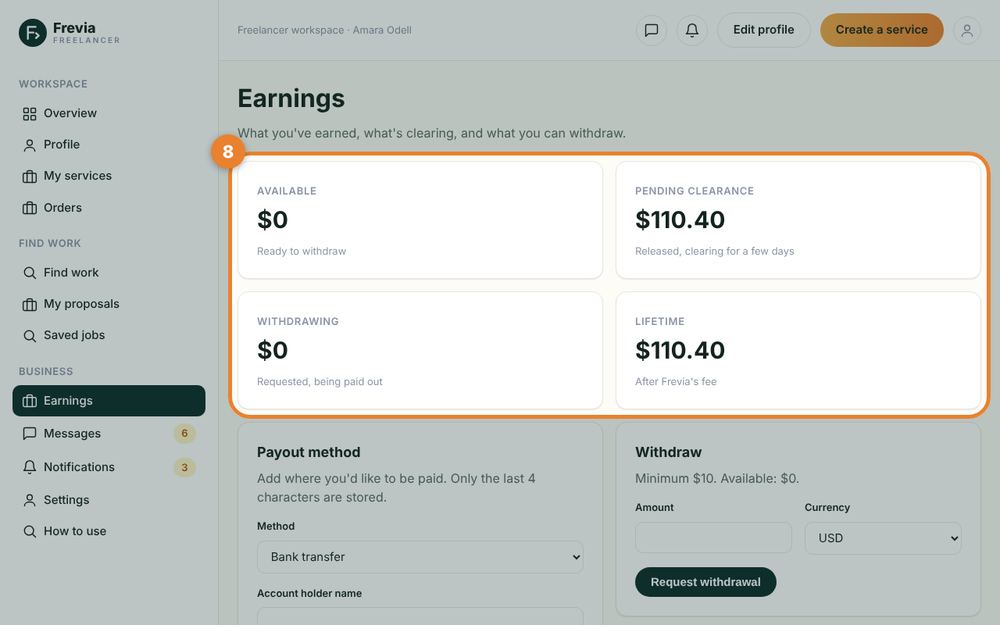
Get paid and withdraw
After the client approves, your earnings (minus the service fee) clear after a short safety window. Add a payout method (bank, DuitNow / e-wallet, PayPal or Wise — stored encrypted) and request a withdrawal from Earnings; our finance team sends it within 1–3 business days.
Payments & safety
- Escrow: the client’s payment is held by Frevia until the work is approved.
- Disputes: if something goes wrong, either side can open a dispute from the order page. Our team reviews the messages and files and can refund, release or split the payment.
- Stay on Frevia: payments made outside Frevia are not protected. Report anyone asking you to pay or talk elsewhere using the “Report” link.
- Reviews: only completed orders can be reviewed, and every review is tied to a real order.
Ready? Hire talent or start selling.